Samsung TV Plus - TV & Movies
- 3.8
- Rating
- 100.00M
- Installs
- Free
- Price

 Analysis by App-foxy
I usually judge a streaming app by what happens when the connection is less than perfect, not only by how attractive the home screen looks. Samsung TV Plus is interesting for exactly that reason: it brings live television and on-demand entertainment together in a free app, but the quality of the experience depends heavily on the network you are using. After spending time with it, I see it as a convenient option for casual viewing, background television, and quick channel surfing rather than a complete replacement for every paid streaming service.
Developed by Samsung Electronics Co., Ltd., this entertainment app has been available since September 22, 2020. It is aimed at Teen users and has grown into a widely used service, with over 100 million installs. The app itself costs nothing, which makes trying it an easy decision, although the practical value still depends on whether its available channels and shows match your interests.
How Samsung TV Plus feels when the network is doing the work
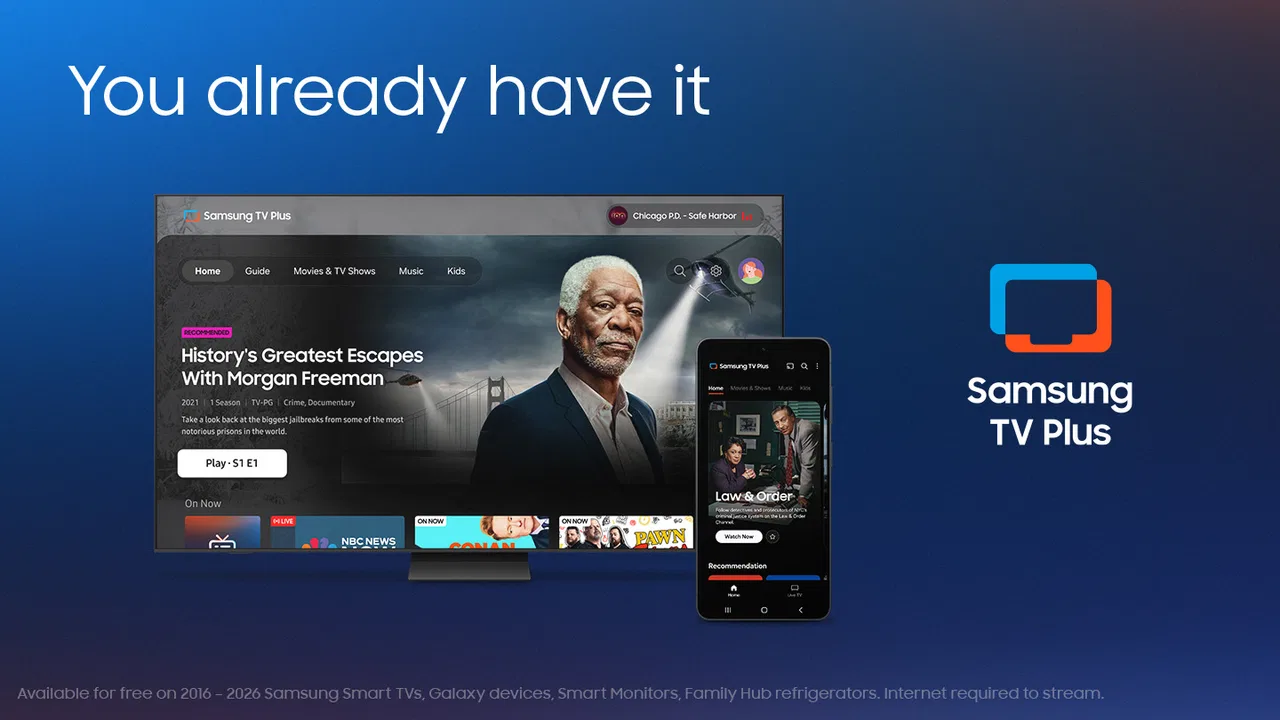
The central appeal is the mixture of live channels and on-demand viewing. Instead of opening one app for scheduled television and another for films or shows, I can move between both types of content from the same entertainment space. The service offers more than 350 live channels alongside thousands of movies and shows on demand, so there is usually something to browse even when I do not have a specific title in mind.
You May Also Like

 AccuWeather: Weather Radar
AccuWeather Review: A Quick, Clear Forecast for Everyday Decisions
For everyday plans, the best forecast is the one you can understand quickly. AccuWeather makes rain timing, radar, and local conditions easy to act on, with a few trade-offs.

 Hill Climb Racing
Why Hill Climb Racing Still Turns Crashes Into One More Run
A tiny car, a bumpy hill and one more upgrade: Hill Climb Racing keeps resurfacing because its simple chaos makes every near-miss feel personal.

 AliExpress - Shopping App
AliExpress Makes Global Shopping Feel Personal, but Shoppers Bear the Risk
AliExpress turns a global marketplace into a pocket-sized discovery engine. Its reach is useful, its shopping loop compelling, and its trade-offs easy to miss.

 Lords Mobile: Kingdom Wars
Lords Mobile Is a Kingdom-Building Routine, Not a Quick Match
A case-by-case verdict on the building, battles, device demands, and social commitments that make Lords Mobile rewarding for some players and exhausting for others.

 PDF Scanner app - TapScanner
TapScanner Makes Paperwork Easier to Capture, Check, and Share
TapScanner makes scanning with a phone feel less like a rescue operation and more like a dependable step in getting work done. Its capture tools are useful, though not flawless.

 Block Blast!
Block Blast! Shows How Much a Puzzle Game Can Leave Out
A quiet grid game shows why puzzle players increasingly value instant clarity, repeatable skill and low-pressure play—and where the genre still needs to catch up.
More From Our News Desk
View All News


That breadth changes the way I use it. With a conventional streaming library, I normally arrive with a plan: choose a series, search for a film, or continue something already started. Here, the live side encourages a more relaxed habit. I can open the app during a short break, scan what is currently playing, and start watching without spending several minutes deciding what to search for.
A stable connection makes this feel smoothest. Live viewing is especially sensitive to interruptions because there is no convenient pause between loading moments. When the network slows, the experience can shift from effortless channel surfing to waiting for playback or seeing quality adjust. On-demand content is more forgiving because I can stop and try again, but it still relies on a working connection for the viewing session.
One useful distinction is that the service is not simply a large catalog. The live channels give it a television-like rhythm, while the on-demand section gives me more control. If I want something playing in the background while cooking, live programming is often the better fit. If I want to choose a specific movie for a quiet evening, on-demand browsing makes more sense.
The strongest reason to install it is convenience, not guaranteed discovery of a particular favorite. The channel selection can make the app feel surprisingly useful for spontaneous viewing, but anyone joining only for one exact show should first check whether that content is actually available in the service’s current offering.
Why live viewing exposes connection problems first
Live television leaves less room for recovery. A brief network wobble can interrupt the moment I am watching, and the annoyance is greater during news, sports, or any program where timing matters. On-demand playback is easier to manage because restarting or choosing another title does not mean missing a live moment.
This is also where the app differs from a traditional broadcast setup. A normal television signal may continue working independently of the internet connection, while this mobile viewing experience is tied to the quality of the network path. That makes Samsung TV Plus more flexible in location, but less dependable when the connection is congested or unstable.
At home, I get the best results by treating the app like any other internet video service: I avoid starting an important live program while several devices are already consuming heavy bandwidth, and I give playback a moment to settle before deciding that a channel is unavailable. On a busy mobile connection, the same channel may be less pleasant than it is on a reliable home network.
Using it during ordinary mobile moments
The mobile format suits situations where I want entertainment without committing to a long setup. Waiting for an appointment, taking a lunch break, or relaxing in bed are all natural use cases. The live guide is particularly helpful when I have only a few minutes, because I can select something already in progress instead of comparing dozens of thumbnails.
That convenience has a trade-off. A phone screen is comfortable for short viewing, but it is not always the best place for a full film or a long program. I would use the app on a mobile device for quick sessions and casual watching, then choose a larger screen or another service when presentation and immersion matter more.
Imagine a typical evening: I finish dinner, have twenty minutes before leaving, and do not want to start a new series episode that I cannot finish. Samsung TV Plus gives me a way to browse live programming and watch whatever fits the moment. If I return later with a full hour available, I can switch to an on-demand title instead of being locked into the live schedule.
That scenario shows the app’s practical strength. It fills gaps in the day better than services that expect me to choose a complete episode or film. It is less compelling when I already know exactly what I want and another platform offers that title with a better interface or more consistent availability.
What I do when playback fails
When a video does not start, my first step is to distinguish between an individual channel problem and a broader connection issue. I try another live channel, then an on-demand title. If both fail, the network is the more likely source of the trouble. If one area works while another does not, I treat it as a temporary content or service issue rather than repeatedly restarting the entire app.
This simple check saves time. It also prevents a common mistake: assuming that a blank or slow playback screen means the catalog has disappeared. Moving between live and on-demand sections gives me a quick way to test whether the problem is local to one stream.
For a weak connection, I would close other video-heavy activity, move to a stronger signal, or wait until the network is less busy. I would not rely on the app for a critical live event if my connection is already unreliable. That is not a criticism unique to this service, but the live-channel format makes the limitation more visible.
If the app becomes sluggish after extended browsing, restarting it is a reasonable practical step. I also avoid repeatedly tapping a channel while it is still loading, since that can make it harder to tell whether the service is responding. My preferred recovery routine is simple: wait briefly, test another stream, then reopen the app only if the behavior continues.
Keeping mobile data under control
Free access does not mean cost-free viewing in every situation. On a mobile connection, video can consume a meaningful part of a data allowance, especially during long sessions. The app is therefore best used with awareness of whether I am on Wi-Fi or cellular data, and how much viewing time I actually intend to spend.
I am most careful with live television because it is easy to leave a channel running in the background. A short break can quietly become a much longer session when the programming keeps going. If I am trying to conserve data, I set a clear stopping point and avoid using the app as constant background television on a cellular connection.
Another practical habit is to choose on-demand viewing only when I am ready to watch, rather than opening a title while doing unrelated tasks. This reduces accidental playback. I also keep an eye on the phone’s own data controls where available, because those system tools are useful for understanding which apps are using the connection over time.
These habits matter more here than the zero-price label might suggest. The app is free to install and use, but the network used to reach its content may have limits or charges determined by the user’s plan. For someone with generous Wi-Fi access, that concern is minor. For someone relying on a restricted mobile allowance, it can change whether the app is genuinely convenient.
How it compares with familiar alternatives
Compared with a paid subscription service built around exclusive series and films, Samsung TV Plus feels less focused. Its advantage is the combination of live channels and on-demand entertainment without a subscription price. Its weakness is that a viewer searching for a very specific premium title may find a more predictable experience elsewhere.
Compared with ordinary broadcast television, it offers more flexibility because I can take the viewing experience to a compatible mobile context rather than remaining in front of a television set. The price of that flexibility is dependence on internet connectivity. Broadcast television may be the better choice when reliability matters more than portability.
Compared with free video platforms centered on user-uploaded clips, this app feels more like a television service. I open it expecting channels, scheduled programming, and a curated entertainment environment rather than an endless stream of individually uploaded videos. That makes it a better fit for viewers who miss the simplicity of turning on television, while those who prefer highly personalized short-form discovery may find the format less engaging.
The rating sits at a 3.8 average from around 26 thousand ratings, with roughly 2.6 thousand written reviews. I read that as a sign of a useful but not universally seamless experience: plenty of people find value in the free access, while others are likely affected by catalog expectations, regional availability, device behavior, or connection quality. I would not treat the number as a substitute for deciding whether the live-and-on-demand mix suits my habits.
Who will get the most from it
I would recommend Samsung TV Plus to someone who wants quick entertainment without adding another paid subscription. It is especially appealing to casual viewers, people who enjoy channel surfing, and households that want something available for background viewing. The combination of live programming and on-demand choices gives it more range than an app limited to one format.
It can also work well for someone who is tired of opening several services just to find something watchable. The free entry point lowers the risk of experimenting, and the large installed base shows that the concept has broad appeal. Still, I would describe it as a supplement first: a useful extra source of entertainment rather than an automatic replacement for every service already in a household.
I would be more cautious recommending it to someone with a weak or tightly limited internet connection. The app’s value falls quickly when playback is interrupted or mobile data becomes a concern. I would also point viewers with a narrow, title-specific wish list toward a service known for the exact content they want, because Samsung TV Plus is strongest when I am open to browsing.
Users who dislike scheduled programming may prefer an entirely on-demand platform. Live channels are convenient when I want instant viewing, but they do not give the same control as selecting a title and watching from the beginning whenever I choose. The on-demand section helps, yet the service’s identity still includes that television-style experience.
Small habits that make the experience better
I get more from the app when I decide which mode fits the moment before browsing. For a short break, I go straight to live channels. For a planned movie night, I start with on-demand choices. This prevents me from wandering through both areas and wasting the time the app was supposed to save.
I also test the connection before settling into an important program. Opening one live channel and then trying an on-demand title gives me a quick sense of whether the network is behaving normally. If both play reliably, I am more comfortable continuing. If neither does, I solve the connection issue first instead of blaming the catalog.
Another useful trade-off is choosing location over convenience. Watching on a phone from a crowded public network may be less satisfying than waiting until I am somewhere with a steadier connection. The app makes mobile viewing possible, but it does not remove the physical limits of signal strength, congestion, or data allowances.
Finally, I treat the live guide as a discovery tool rather than a promise that every channel will suit me. The large selection sounds impressive, but quantity alone does not guarantee that the current lineup matches my mood. I use it to find something quickly, then move to on-demand when I want more control.
My connectivity verdict
Samsung TV Plus is a convincing free entertainment app when the network is dependable and I want a mixture of live television and on-demand viewing. I like that it supports both spontaneous channel surfing and more deliberate movie or show selection, without requiring me to begin with a subscription decision.
Its main limitation is also clear: the experience is only as steady as the connection behind it. Live content makes interruptions particularly noticeable, and mobile viewers need to think about data use before leaving a channel running. Those are manageable concerns, but they should shape how the app is used.
With a reliable Wi-Fi connection, I would gladly keep it installed as a flexible backup to my main streaming services. On mobile data, I would use it selectively and avoid treating it as an all-day television replacement. Overall, I recommend it to viewers who value free, easy browsing and do not need one specific catalog to justify the installation. If your priority is dependable offline-style access, a tightly curated premium library, or complete control over every viewing moment, another option may fit better.
FAQs for Samsung TV Plus - TV & Movies
01What is Samsung TV Plus and how does it work?
Samsung TV Plus is a free streaming service that offers a variety of TV channels and movies directly to your Samsung device. It requires no subscription, no sign-up, and no additional equipment. Simply access the app on your Samsung smart TV or mobile device to start watching a wide range of content instantly.
02Is Samsung TV Plus completely free to use?
Yes, Samsung TV Plus is completely free. You don’t need to pay for a subscription or create an account. It provides access to a wide range of live TV channels and on-demand movies without any hidden costs. However, you may encounter ads while streaming content.
03What kind of content can I watch on Samsung TV Plus?
Samsung TV Plus offers a diverse range of content, including live TV channels in categories such as news, sports, entertainment, and lifestyle. Additionally, you can watch a selection of movies on demand. The content is regularly updated, ensuring you have access to the latest shows and films.
04On which devices is Samsung TV Plus available?
Samsung TV Plus is available on Samsung smart TVs manufactured from 2016 onwards, as well as on select Samsung Galaxy devices. You can access the service through the pre-installed app on your compatible Samsung device. Check the app store or Samsung's website for specific device compatibility.
05Do I need an internet connection to use Samsung TV Plus?
Yes, a stable internet connection is required to stream content on Samsung TV Plus. The quality of your streaming experience will depend on your internet speed. For the best experience, a broadband connection with a minimum speed of 5 Mbps is recommended to ensure smooth playback without interruptions.
Pros
- Wide range of free channels available.
- User-friendly interface and navigation.
- No sign-up or subscription needed.
- High-quality streaming with minimal buffering.
- Regularly updated content lineup.
Cons
- Limited availability by region.
- Ads can interrupt viewing experience.
- No offline viewing option available.
- Content selection can feel repetitive.
- Lacks advanced search features.

Samsung TV Plus - TV & Movies
Gallery